
AI INVOICE GENERATOR
CREATE INVOICESFASTER WITH AI.
Describe the finished work, review the draft and send a clear invoice — then keep tracking what the client owes and what gets paid.
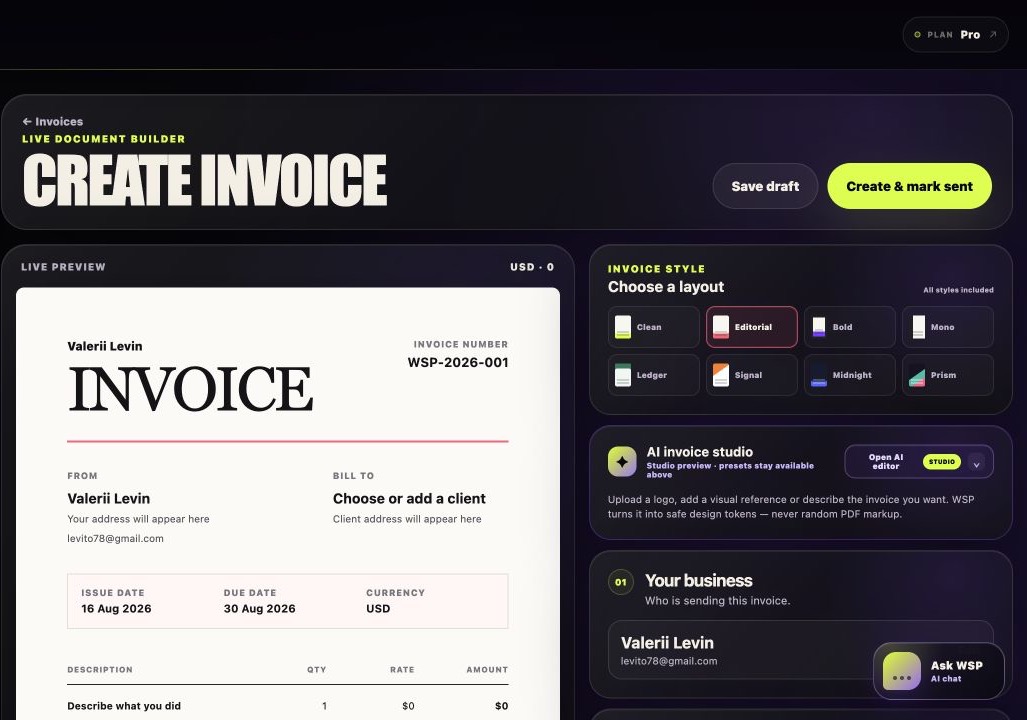
AI prepares the draftYou approve the invoice
AI draft
Your review
Payment tracking
MORE THAN A GENERATOR
CREATING AN INVOICE IS
ONLY THE BEGINNING.
WhySoPaid uses AI as the fast way in. The invoice then stays connected to the client, expected payment and your wider cash position.
Turn a brief into a draft
Start from a plain-language description of the work and review the structured invoice before anything is finalized.
Keep what clients owe visible
Once the invoice is sent, its amount, currency and due date remain in the same workspace.
Connect paid money to cash flow
Record what arrived and see how expected payments and expenses shape the next 30 days.
FROM WORK TO MONEY
CREATE FASTER.
TRACK WHAT HAPPENS NEXT.
Start with AI, stay for a clear view of every invoice and payment.
Create an invoice with AI